
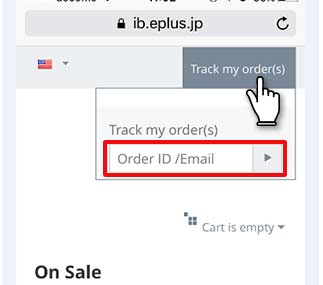
Please access to our site, and click "Track my order (s)" in the upper right corner of the site. https://ib.eplus.jp/
Enter Order ID or the email address of when you ordering and send.

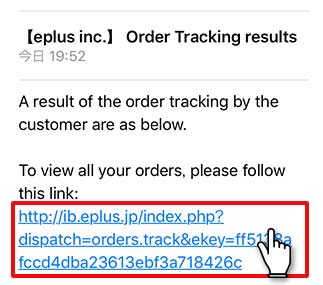
Check the mailbox which you have used for the purchase. You can access to the order list from the URL.
※This link will be invalid after use. If an error occurred, please try again from order tracking.
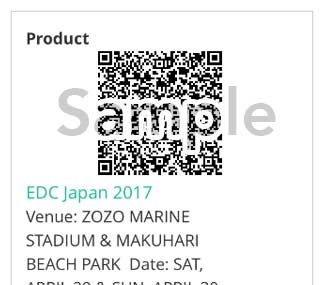
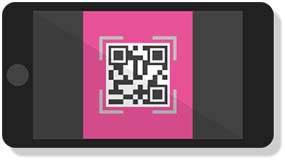
Click “Order ID” on page of order list, and it will show your order details and QR code.
Please print it out or take a screenshot of the QR code.
【Notice】
If you entered wrong email address when you ordered, you can not get search results email.
In such a situation, please inquire us from the inquiry form below.
http://eplus.jp/ib-inquiry/